01
Upload long-form media
Start with a long video or audio recording from a podcast, interview, tutorial, webinar, or YouTube production.
Turn long videos, podcasts, interviews, tutorials, and audio recordings into focused short clips. Let AI find useful video moments, then review, edit, and download clips for YouTube Shorts, TikTok, and Instagram Reels.
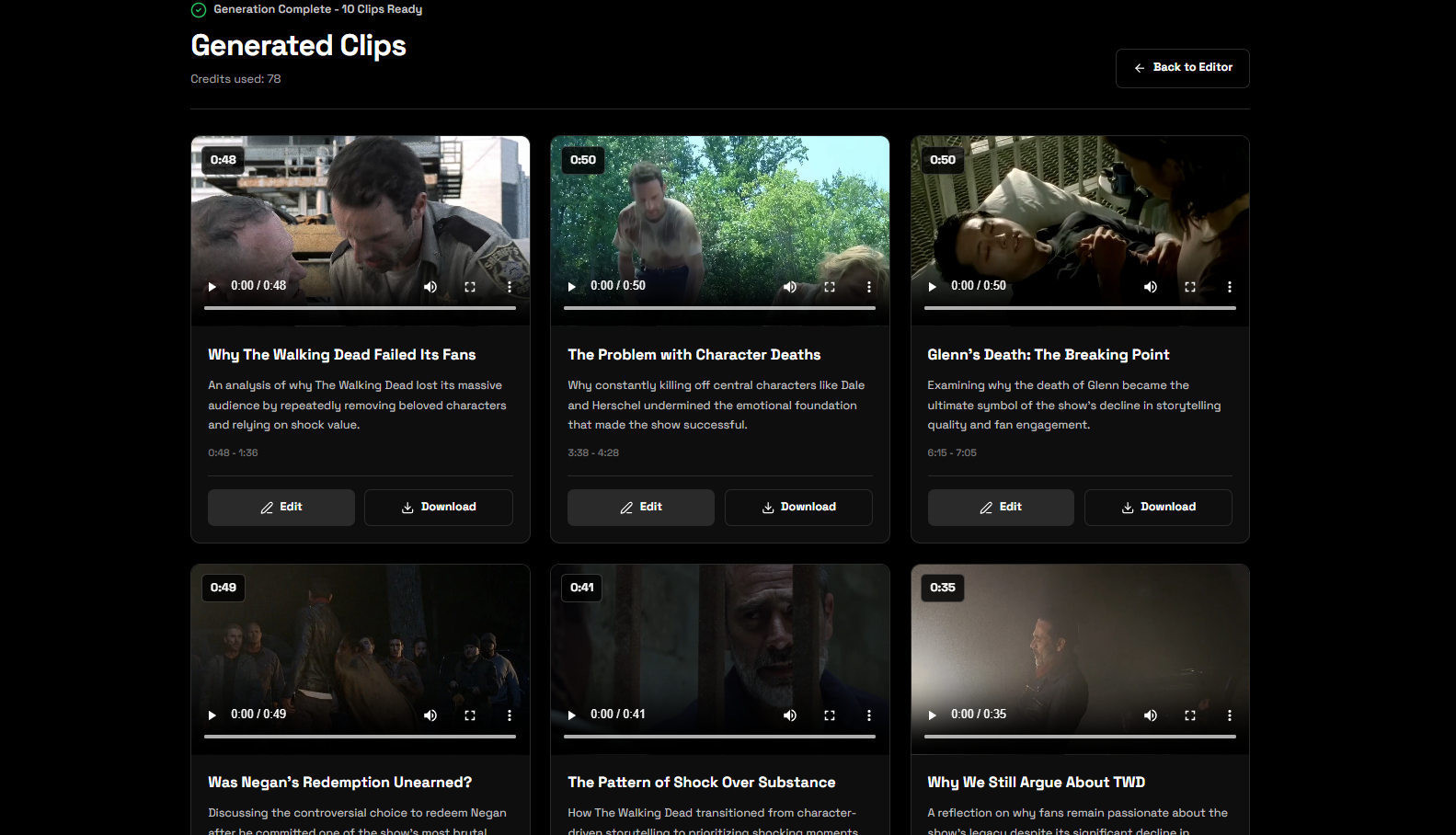
Move from a complete recording to editable short-form clips in one guided workflow.
Start with a long video or audio recording from a podcast, interview, tutorial, webinar, or YouTube production.
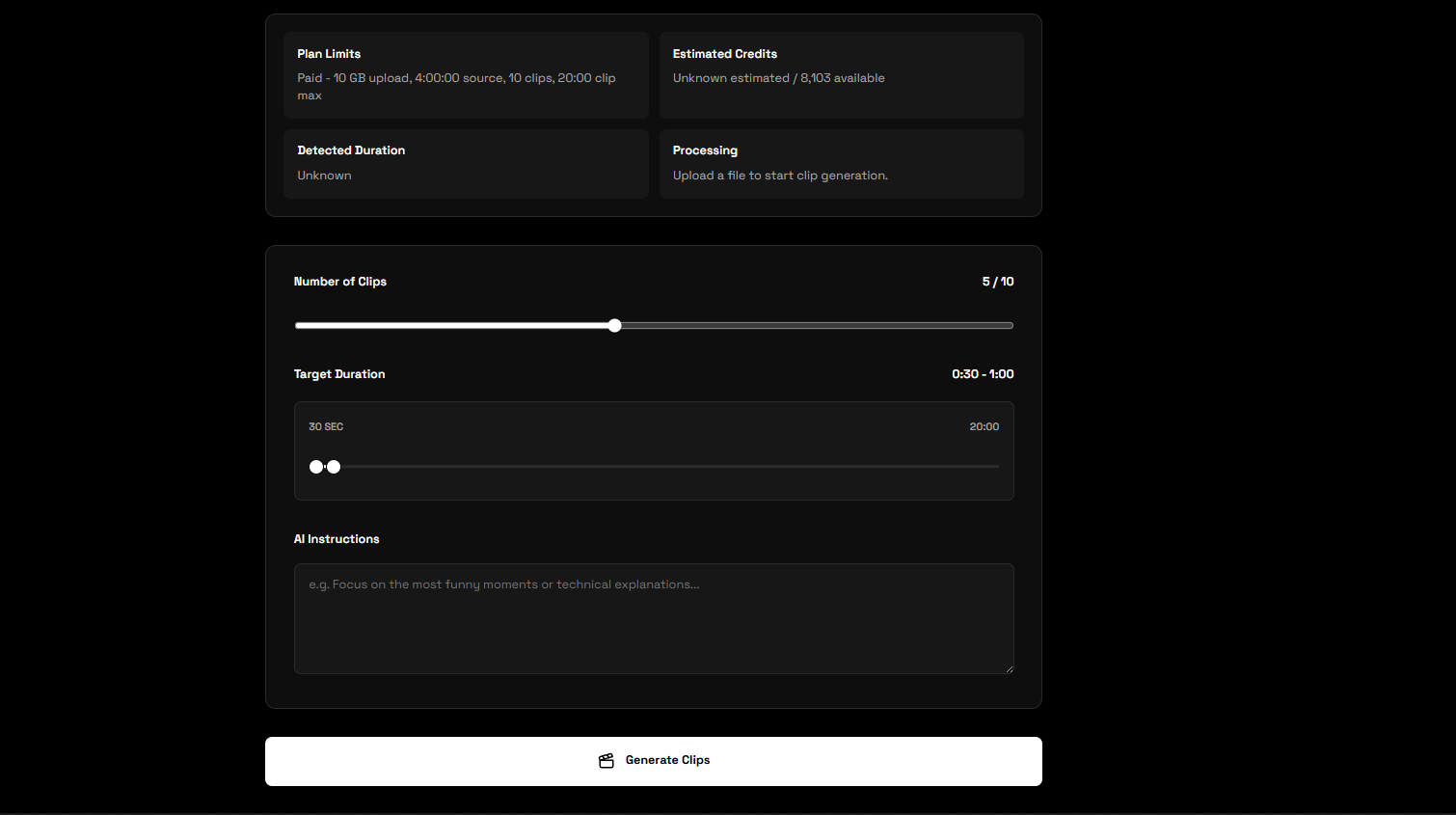
Set how many clips you want, choose a target duration range, and add instructions for the moments you need.
CreatubeAI analyzes the video and selects focused sections that can work as standalone short clips.
Preview each result, refine video clips in the editor, and download the finished MP4 files you want to publish.
Skip the manual search through a long timeline. CreatubeAI uses the video, clip duration, and your instructions to identify complete moments built around a clear topic, answer, story, or takeaway.
Every recording and publishing plan is different. Choose how many clips to generate, set the target duration range, and write custom instructions so the selection process follows your content goals.
Create several short-form opportunities from one long recording.
Use recorded video or long-form audio as the source for clipping.
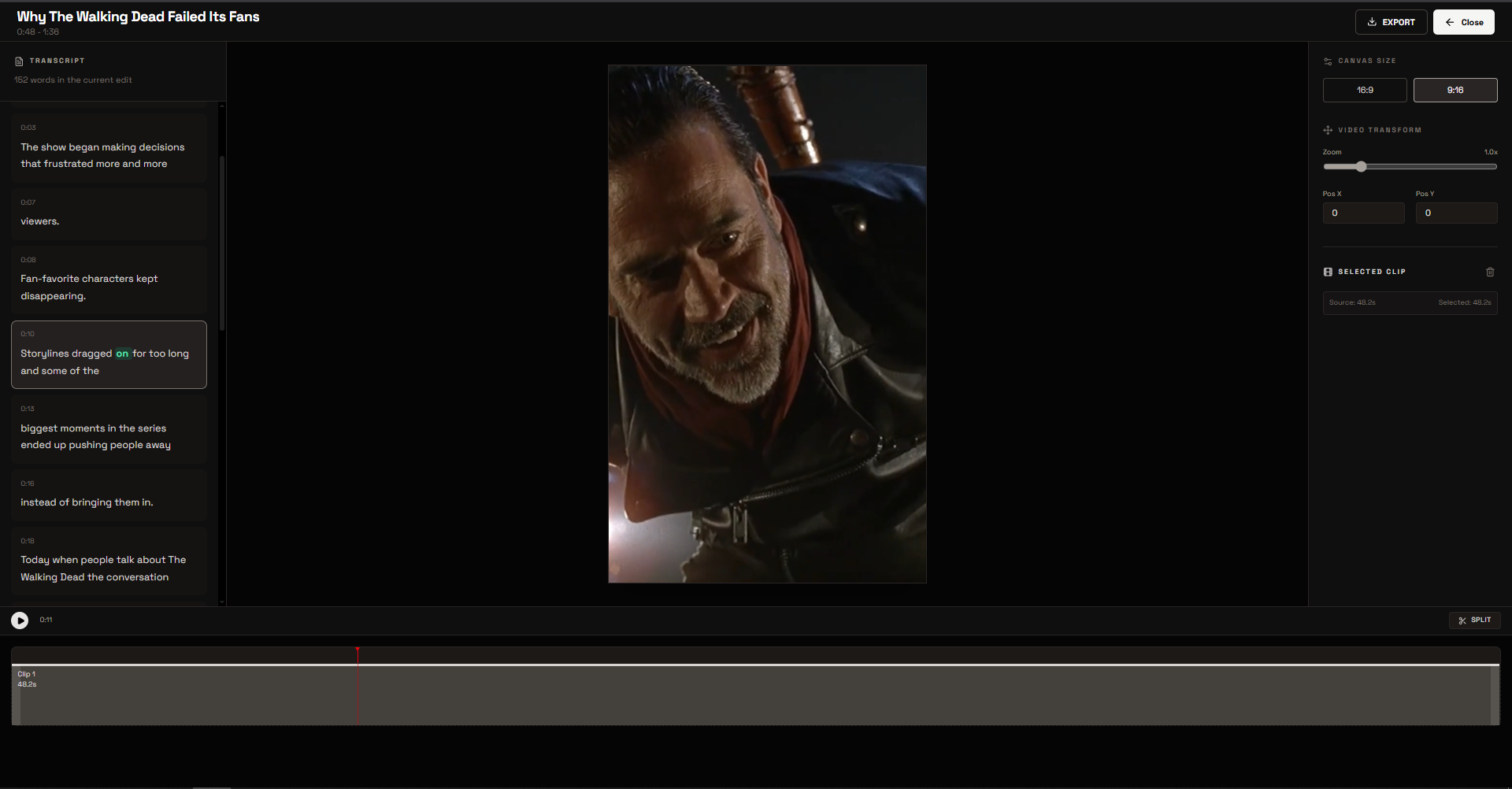
AI gives you a starting point, and the editor gives you control. Preview the selected video, navigate with the video, adjust the timeline and framing, then export the finished clip as an MP4.
Repurpose the long-form content you already create into more focused publishing opportunities.
Pull focused stories, explanations, and memorable exchanges from long podcast episodes.
Turn complete conversations and commentary recordings into shorter videos built around individual topics.
Extract useful lessons, demonstrations, and answers that can stand on their own as short-form content.
Repurpose finished uploads into additional clips for YouTube Shorts, TikTok, and Instagram Reels.
An AI video clip generator helps creators find useful sections inside long recordings and turn them into shorter videos. Instead of manually reviewing an entire podcast, interview, tutorial, or commentary video, creators can use video analysis to identify focused moments and create multiple clips from one recording.
Upload your long-form recording, decide how many clips you need, choose a duration range, and describe the topics or moments you want to find. After the AI selects video segments, review the results and adjust the timing or framing before exporting the clips you want to use.
Start with sections that deliver a clear idea, story, answer, or payoff without depending on the entire original video. A vertical aspect ratio can help prepare clips for YouTube Shorts, while the editor gives you control over the crop and position before download.
A useful short clip gets to one subject quickly, provides enough context to understand the moment, and ends with a complete takeaway. Clear instructions and a realistic duration range help the AI focus on moments that fit your channel and publishing plan.
Yes. Choose the Basic or Premium plan that fits your clipping and creator workflow needs, then create your account to start using the AI video clip generator.
Yes. You can choose the number of clips you want and give the AI instructions about the topics, moments, or types of highlights it should find.
Yes. The clipping workflow accepts long-form audio as well as video. Audio results can be previewed and downloaded, while video clips can also be opened in the video editor.
Yes. Select a minimum and maximum target duration to guide the clip selection process toward the short-form length you need.
Yes. Generated video clips can be opened in the editor to adjust timing, split or trim sections, change the aspect ratio, and reposition the video before export.
Yes. The editor includes vertical and horizontal aspect-ratio options so you can frame a video for YouTube Shorts or retain a wider presentation.
CreatubeAI uses the media video, your selected duration, and your written instructions to identify complete sections that match the clipping job.
Yes. You can preview clips as they become available and download the finished MP4 exports you want to publish or continue editing elsewhere.
Continue your workflow with script writing, creator audio, and YouTube niche research in CreatubeAI.
Create your CreatubeAI account and start repurposing podcasts, interviews, tutorials, and long-form videos.
Create Account