1
Choose a topic or idea
Start from your own prompt or generate new video ideas from a YouTube URL.
Generate research-supported, long-form YouTube scripts with stronger hooks, organized sections, visual notes, and calls to action. Match your creator style, develop video ideas, and rewrite the draft in one workflow.
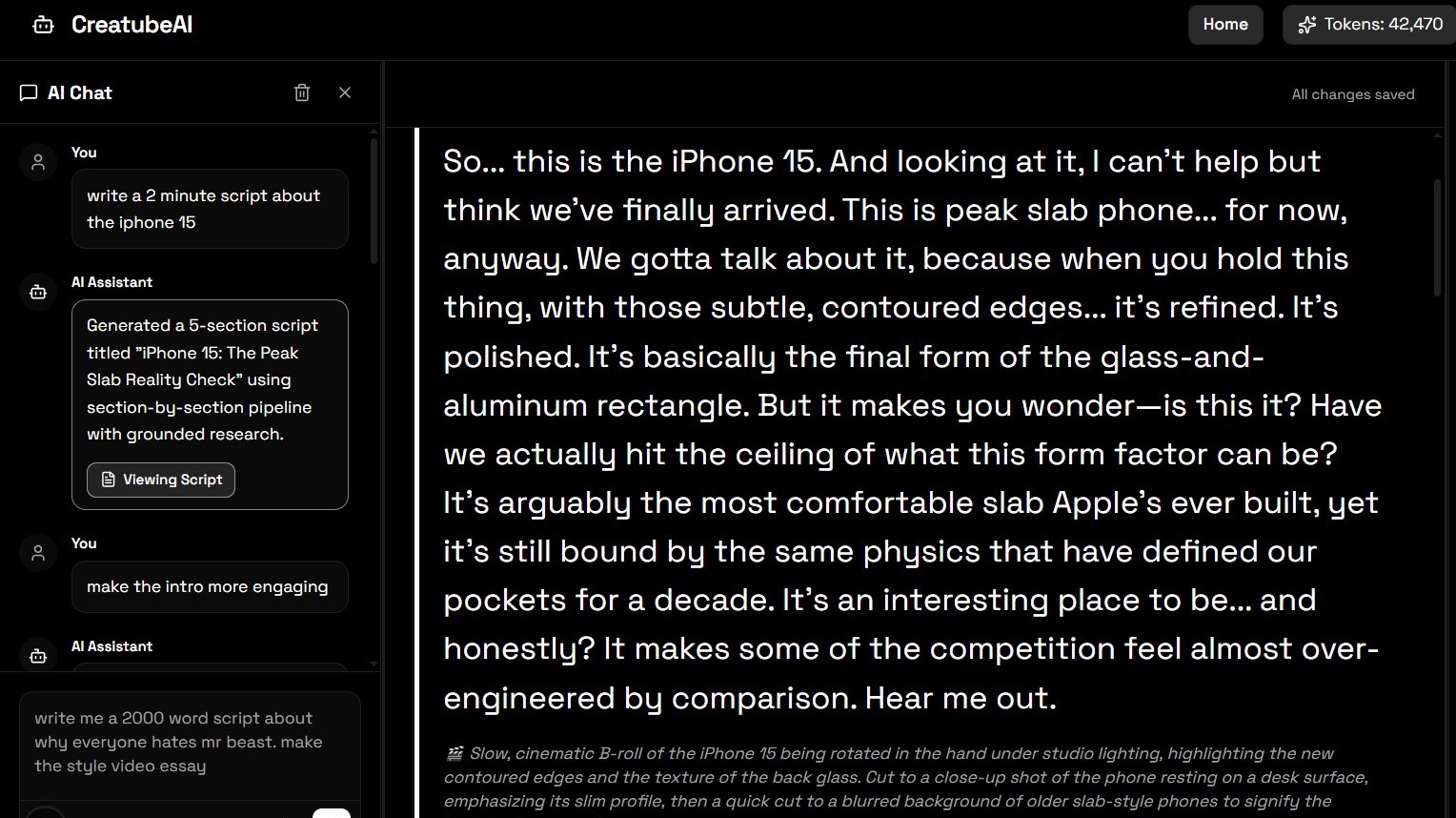
Move from a topic or video idea to a structured, editable script in four steps.
Start from your own prompt or generate new video ideas from a YouTube URL.
Select a saved style profile so the script sounds specific to your channel instead of generic.
Build a script with a hook, organized sections, transitions, narrator text, visual notes, and a closing CTA.
Modify sections through chat, revisit earlier versions, and export the finished script as a .txt file.
CreatubeAI helps you move from idea to draft to polished script without juggling separate writing, research, and revision tools.
Script generation uses Google Search and URL Context to build a grounded outline before writing the full long-form draft section by section.
Save reusable script styles or analyze a YouTube URL so Creatube can write with your tone, pacing, hook patterns, and storytelling habits.
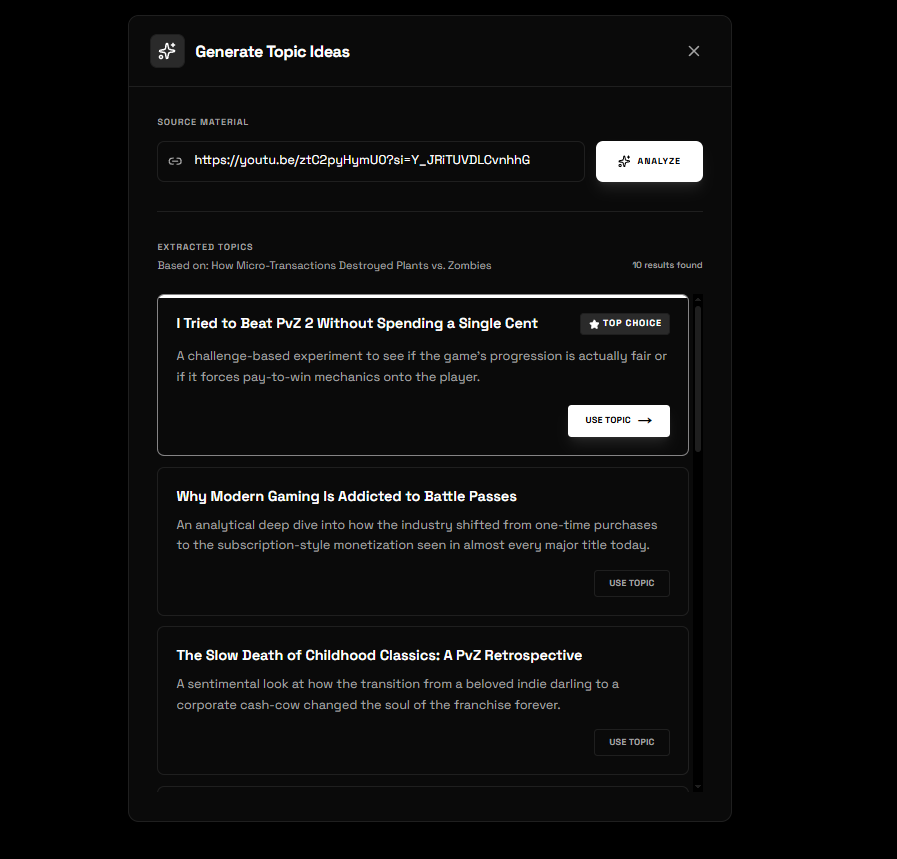
Paste a YouTube URL, get related video ideas, and use the top choice as the starting point for your next script.
Use chat to rewrite sections, improve titles, adjust structure, sharpen hooks, and polish your script without starting over.
Write long form scripts up to 10,000 words with smoother transitions and reduced repetition.
Keep script projects organized, reopen previous drafts, view script versions, and export finished drafts as .txt files.
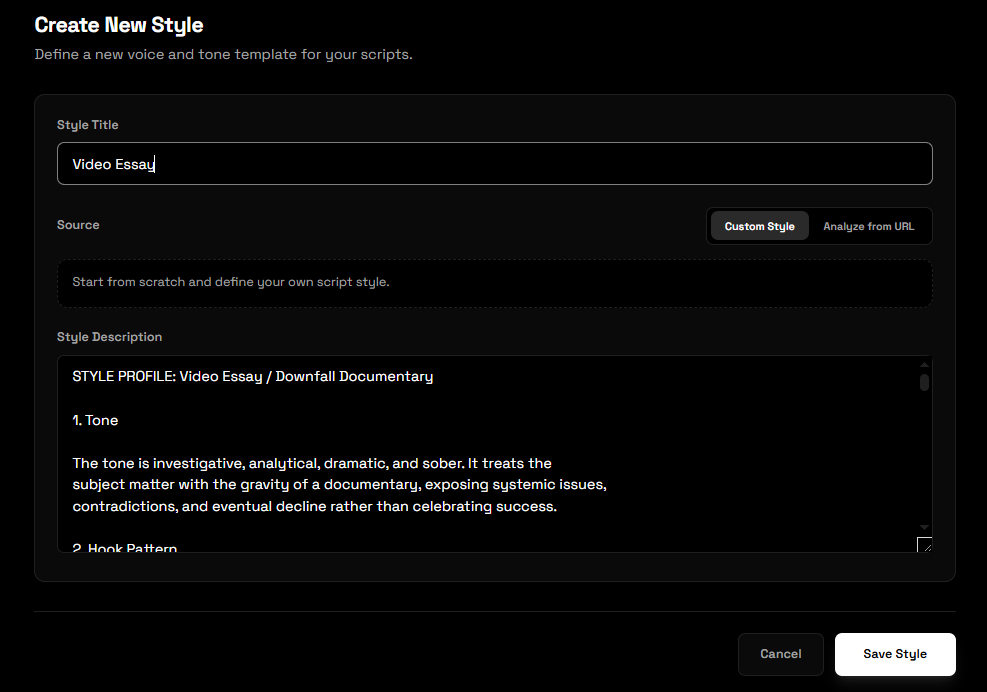
A lot of AI scripts sound the same because they are written from the same vague prompts. CreatubeAI lets you create reusable styles manually or analyze a YouTube URL to extract tone, hooks and overall style of the script.
When you need a fresh angle, paste a YouTube URL and generate related video ideas. CreatubeAI gives you multiple directions plus a recommended top choice, so you can move from research to script writing faster.
Example workflow
Paste a competitor video, generate related ideas, choose the best angle, then create a full YouTube script in your saved style.
Shape the research, structure, writing style, and visual direction around the kind of video your channel publishes.
Turn research and teaching points into a clear sequence with explanations, examples, transitions, and visual direction.
Create narrator-ready scripts with scene and B-roll notes for documentary, list, explainer, and automation workflows.
Plan a strong argument, maintain continuity across long sections, and preserve your channel voice throughout the draft.
Build stronger hooks, pacing, story beats, product sections, and conclusions without relying on a generic script template.
An AI YouTube script generator turns a topic, research direction, and target length into a structured video script. CreatubeAI produces narrator text alongside hooks, sections, transitions, visual notes, and calls to action, then keeps the draft available for chat-based revision.
Generic scripts usually start with vague direction and no channel context. CreatubeAI lets you define a target word count, select a saved writing style, analyze a YouTube transcript for style patterns, and rewrite specific sections until the result fits your format.
A useful YouTube script normally includes an opening hook, a clear promise, organized body sections, transitions, supporting examples, visual or B-roll notes, and a conclusion or CTA. The exact structure should change with the channel format and audience.
Script length depends on speaking pace and the target video duration. CreatubeAI supports target word counts for short and long-form writing, while the YouTube Script Timer converts a word count or pasted draft into an estimated runtime.
Estimate your script durationResearch a channel opportunity, estimate the finished runtime, create supporting audio, or repurpose the recorded video into clips.
Yes. CreatubeAI supports reusable script styles and YouTube URL style analysis, which captures patterns such as tone, pacing, hooks, transitions, sentence structure, and storytelling approach.
Yes. Paid users can paste a YouTube URL and generate related video ideas, including a recommended top choice that can be sent into the script workflow.
Yes. CreatubeAI supports scripts up to 10,000 words in length.
Yes. The chat workflow includes modify and ask modes so you can rewrite sections, improve titles, adjust pacing, and refine the script after the first draft.
Yes. Finished scripts can be saved in your project history and exported as .txt files.
Script generation uses Google Search and URL Context while preparing the outline, giving the section-by-section writing process grounded research to work from.
Scripts can include a title, opening hook, organized narrator sections, transitions, visual or B-roll instructions, supporting points, and a closing call to action.
Yes. The narrator text and visual instructions are useful for faceless explainers, documentaries, list videos, tutorials, commentary, and other voiceover-led formats.
Create researched scripts, match your creator style, generate ideas, and refine each draft in one CreatubeAI workspace.
Create Account