1
Research demand
Study trending videos, views, scores, and revenue signals before choosing a topic.
Validate profitable YouTube niche opportunities with real trending videos and Shorts, breakout channels, video and channel scores, estimated revenue signals, and filters built for creator research.
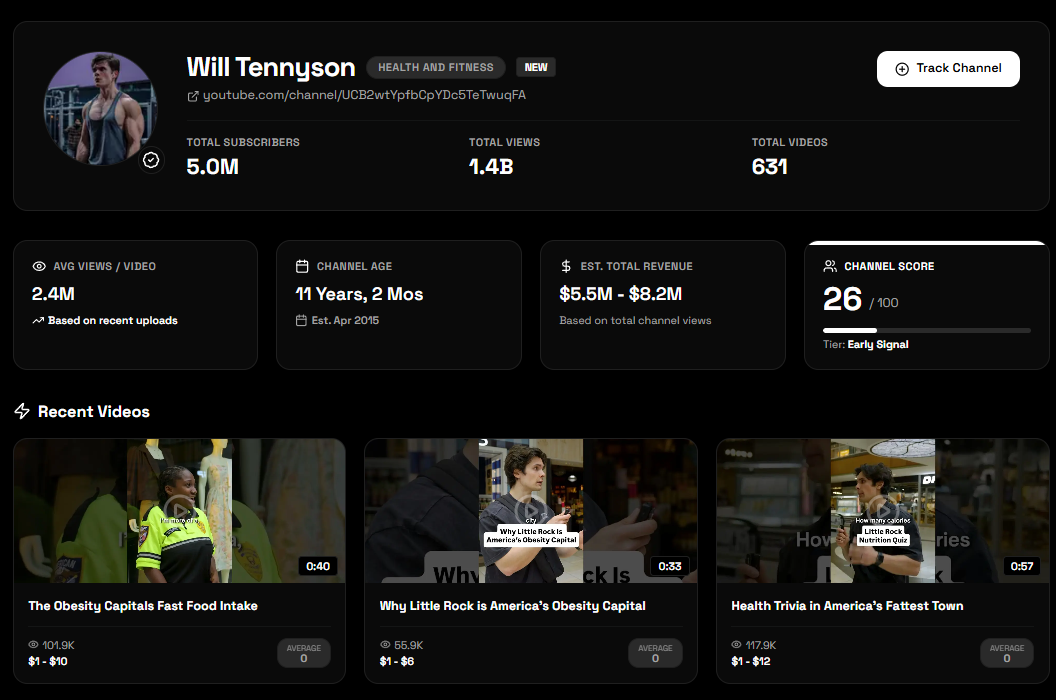
Compare audience demand, channel momentum, and monetization signals before committing to a content direction.
Study trending videos, views, scores, and revenue signals before choosing a topic.
Look for smaller or fast-growing channels that reveal emerging content opportunities.
Use what you find to plan video ideas, scripts, and creator workflows with clearer direction.
CreatubeAI helps creators move beyond guesswork by showing what videos are moving, what channels are breaking out, and which niches deserve deeper research.
Research recent long-form videos and Shorts gaining traction across niches, with views, video scores, revenue signals, and channel context.
Spot fast-growing channels before a niche becomes crowded, then study subscriber count, channel score, and content category.
Compare opportunities with estimated revenue ranges so you can prioritize topics with stronger monetization potential.
Use score-based signals to understand which videos and channels are showing unusual momentum compared with normal performance.
Filter by niche, subscriber count, views, total channel views, and score ranges, then sort results around the signal you want to investigate.
Turn niche research into video angles, content plans, and scripts inside the same CreatubeAI creator workflow.
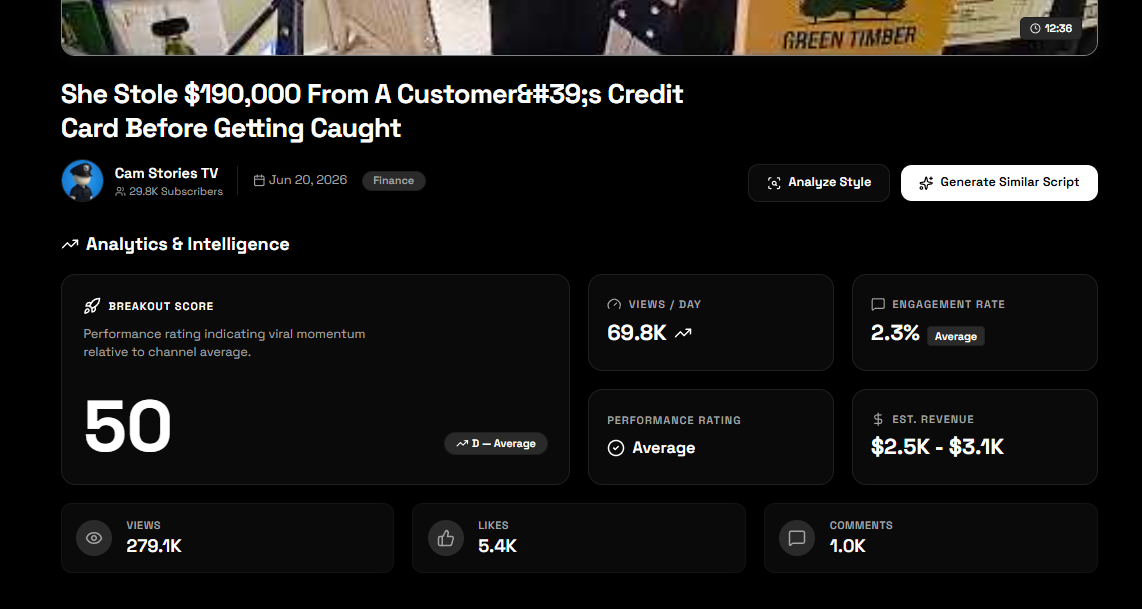
Use trending video data to study titles, views, niches, channel context, and breakout signals. This helps you find demand patterns before building a channel or committing to a long content series.
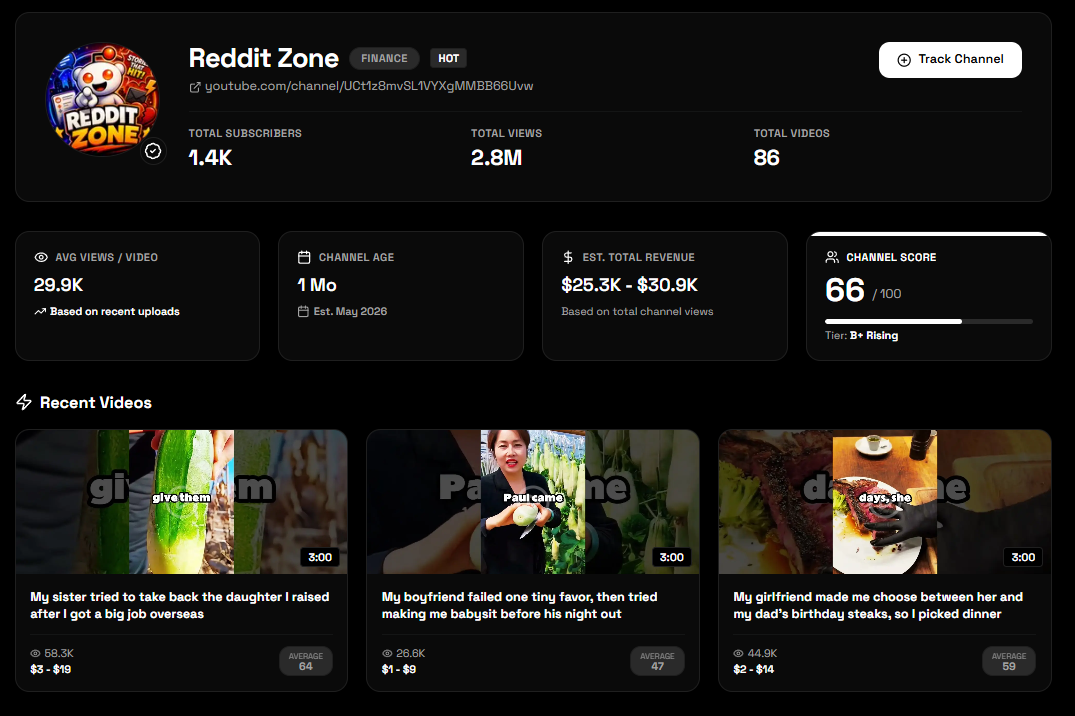
Breakout channels can reveal formats, niches, and audience needs before a market feels obvious. Use channel scores, subscribers, views, and category context as research signals, not guarantees.
Research angle
Look for smaller channels with unusual momentum, then study what topics, formats, and titles are pulling attention.
A niche is more than a high RPM estimate. Evaluate whether the audience, content supply, channel momentum, and production model work together.
Look for recent videos and Shorts receiving meaningful attention across more than one channel.
Study breakout channels whose recent performance is unusually strong for their size or history.
Confirm that the niche supports multiple useful video angles rather than one temporary idea.
Compare estimated RPM and revenue ranges with the audience and content format you plan to serve.
Use subscriber, view, and score filters to find where smaller channels are still earning attention.
Choose an opportunity you can research, explain, produce, and publish consistently for a specific audience.
A YouTube niche finder is a research tool for evaluating content categories, video trends, channel growth, and monetization signals before choosing what to publish. CreatubeAI lets creators study recent videos, Shorts, breakout channels, scores, views, subscribers, and estimated revenue data instead of relying on a generic niche list.
Compare current viewer demand, videos gaining traction, rising channels, repeatable topic formats, and estimated revenue or RPM signals. Then use filters to narrow the results around channel size, views, niche, and score so you can investigate opportunities relevant to your resources.
A useful niche has a clear audience, continuing topic demand, several repeatable video angles, channels proving that viewers respond, and a format you can produce consistently. Revenue estimates matter, but creator fit and the ability to publish useful content also affect whether the niche is practical.
Creators often research personal finance, AI tools, fitness, productivity, technology tutorials, faceless documentaries, lifestyle education, and home or DIY channels. The best direction depends on your skills, audience, production format, and the current signals visible in the data.
Use the opportunity you find to generate a structured script, build creator audio, estimate the runtime, and repurpose the finished video.
The best YouTube niche finder should help you compare niches with real discovery signals like trending videos, fast-growing channels, views, revenue estimates, and competitive patterns. CreatubeAI focuses on finding research signals creators can evaluate before choosing a direction.
Look for niches with active viewer demand, repeatable topics, search or recommendation potential, and monetization signals. CreatubeAI helps surface videos, channels, niches, and estimated revenue ranges so you can evaluate opportunities faster.
A breakout YouTube channel is a channel showing unusual growth or performance relative to its size, topic, or recent activity. These channels can reveal new angles, underserved audiences, and formats that are starting to work.
Yes. Beginners can use a niche finder to avoid guessing and study proven patterns before starting a channel. It is useful for comparing ideas, finding content gaps, and choosing a direction with clearer demand.
CreatubeAI includes estimated revenue ranges where data is available. These estimates are research signals, not guaranteed earnings, and should be used alongside audience, format, and competition research.
CreatubeAI does not assign a guaranteed low-competition label, but subscriber, view, niche, and score filters can help you investigate where smaller channels or newer formats are gaining unusual attention.
Yes. Use the same trending video, Shorts, channel, score, and revenue signals to evaluate faceless education, documentary, tutorial, storytelling, and other voiceover-led formats.
Yes. CreatubeAI includes a dedicated trending Shorts feed alongside long-form trending videos and breakout channel research.
Use CreatubeAI to find breakout channels, trending videos, and niche opportunities, then turn your research into scripts and content ideas.
Open Niche Finder